 NoobToPro
 Sand
Contents 5 sections ▾
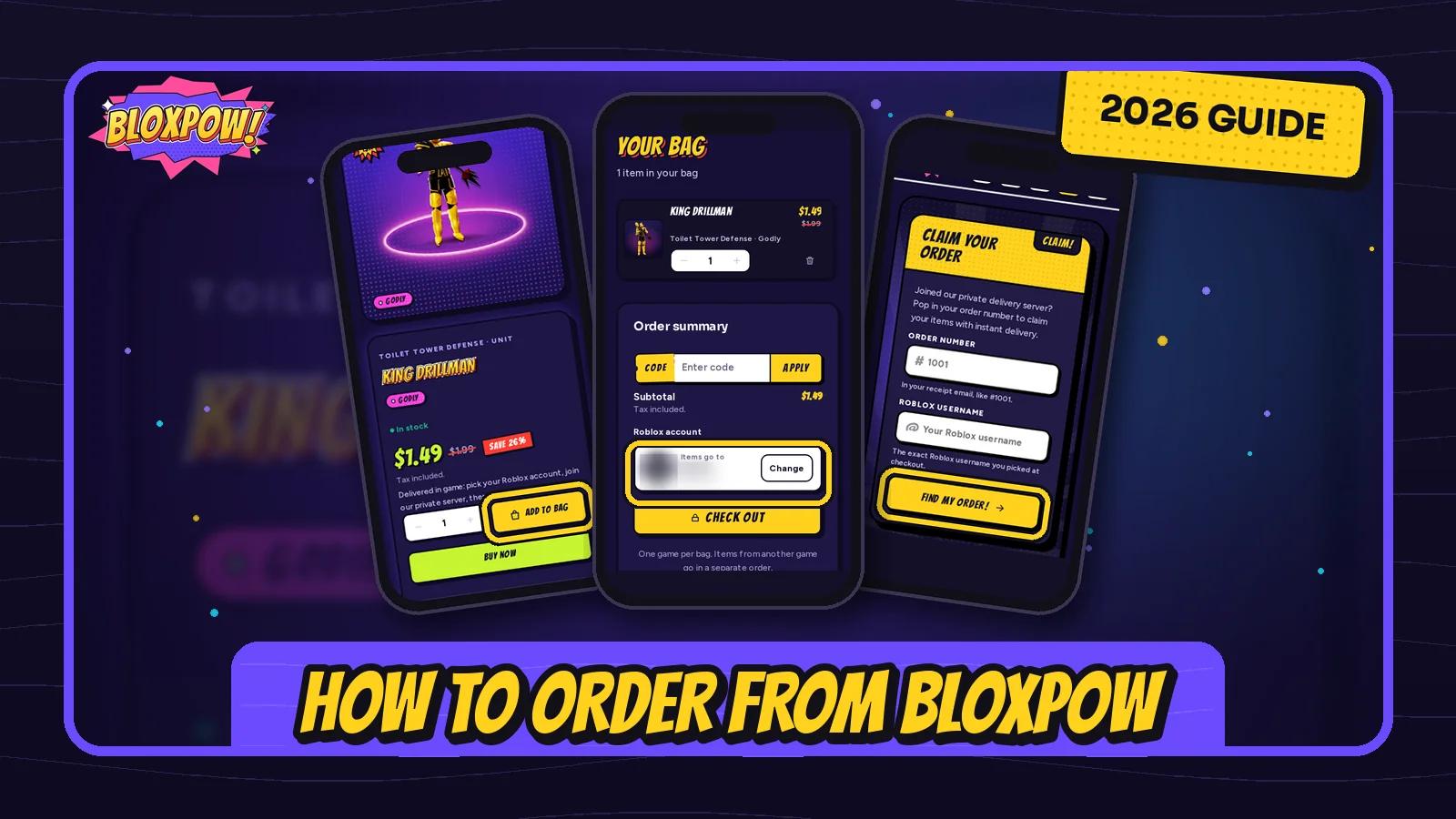
Bloxpow sells digital Roblox items, such as Toilet Tower Defense units, and delivers them in-game to the Roblox account you pick. You never share your Roblox password, and you collect your items yourself in our private server.
How to Order from Bloxpow
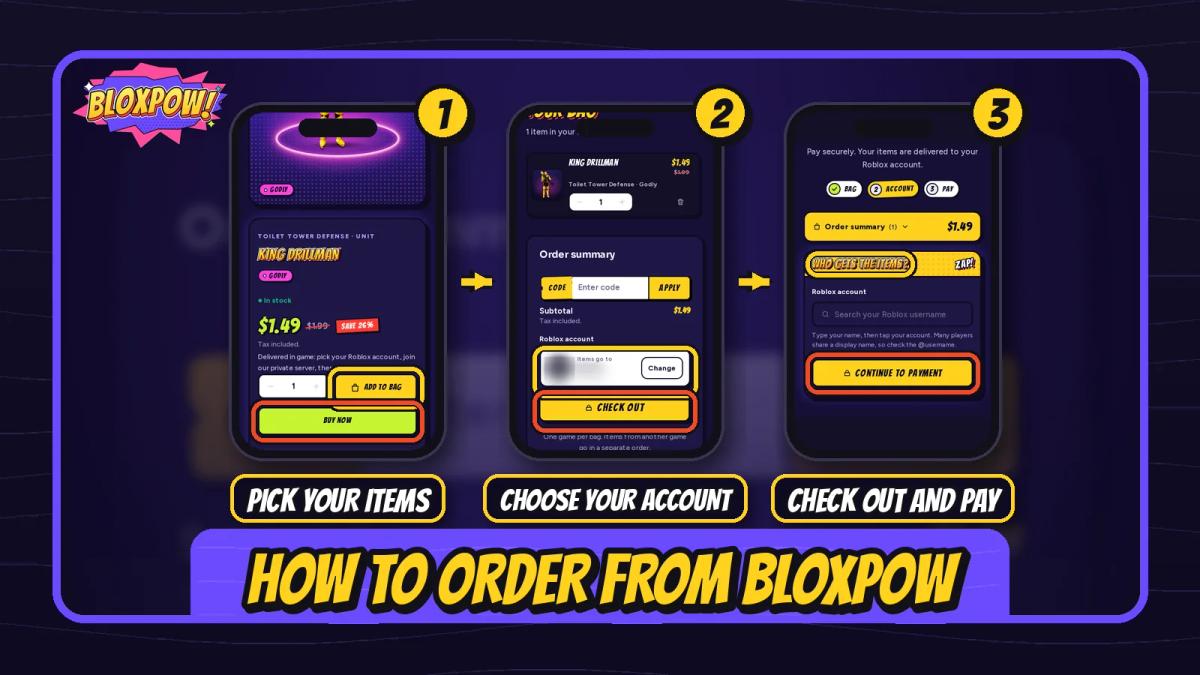
Ordering takes three steps: pick your items, choose your Roblox account, then pay. We'll use the Bloxpow Toilet Tower Defense shop as the example, but the steps are the same for every game.
- Pick your game and items
Open the Shop and pick your game. Tap Add on an item, or Add to bag on its product page. Buy now takes you straight to checkout. Open your bag when you're done.
- Choose your Roblox account
In your bag, type your Roblox username and tap your exact account in the list. Many players share a display name, so check the @username before you go on.
- Check out and pay
Tap Check out, confirm who gets the items, then tap Continue to payment and pay in the secure payment form. You get a payment receipt by email with your order number.
Payment Methods
The payment methods you see at checkout depend on your country, so pick whichever one the payment form offers you. Prices are charged in USD, and local currency prices are for reference only.
If a payment is declined, no money is taken. Check your billing details, try another card or wallet, or contact your bank.
One Game per Bag
Each order holds items from one game only. If your bag has items from two games, checkout asks you to keep one. Place a separate order for the other game.
There's also a minimum order total. If your bag is under it, checkout asks you to add another item.
How to Claim Your Order
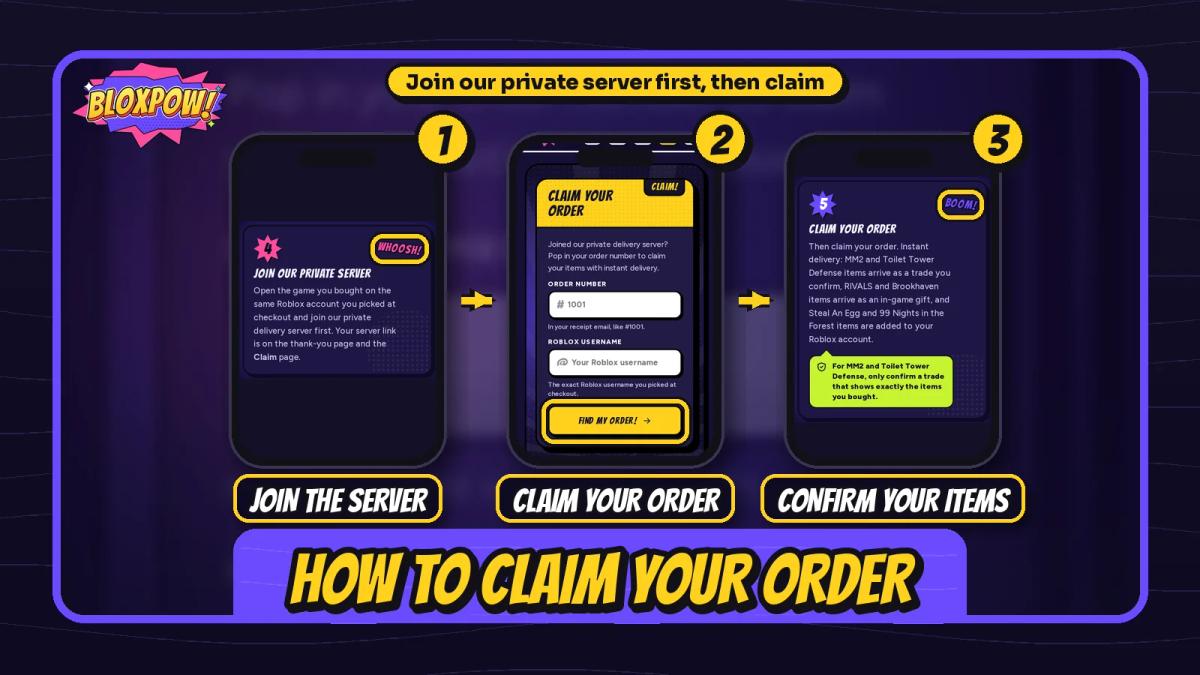
After you pay, the thank-you page shows your order reference, the Roblox username your items go to, and your trader with a Join server button. The same link is on the Claim page if you close the tab.
- Join our private server
Open the game you bought on the same Roblox account you picked at checkout. Tap Join server on the thank-you page or the Claim page to join our private delivery server first.
- Claim your order
In the server, claim your order with your trader. Your thank-you page shows the exact steps for your game.
- Confirm the trade
Toilet Tower Defense and MM2 items arrive as a trade. Confirm it only when it shows exactly the items you bought. They're then in your inventory.
Only accept a trade from your trader that shows exactly your items. Bloxpow never asks for your Roblox password, so never share it with anyone, even someone who says they're from Bloxpow.
How Items Arrive in Each Game
| Game | How your items arrive |
|---|---|
| Toilet Tower Defense | A trade you confirm |
| Murder Mystery 2 | A trade you confirm |
| RIVALS | An in-game gift |
| Brookhaven | An in-game gift |
| Steal An Egg | Added to your Roblox account |
| 99 Nights in the Forest | Added to your Roblox account |
What to Do If Your Bloxpow Order Doesn't Arrive?
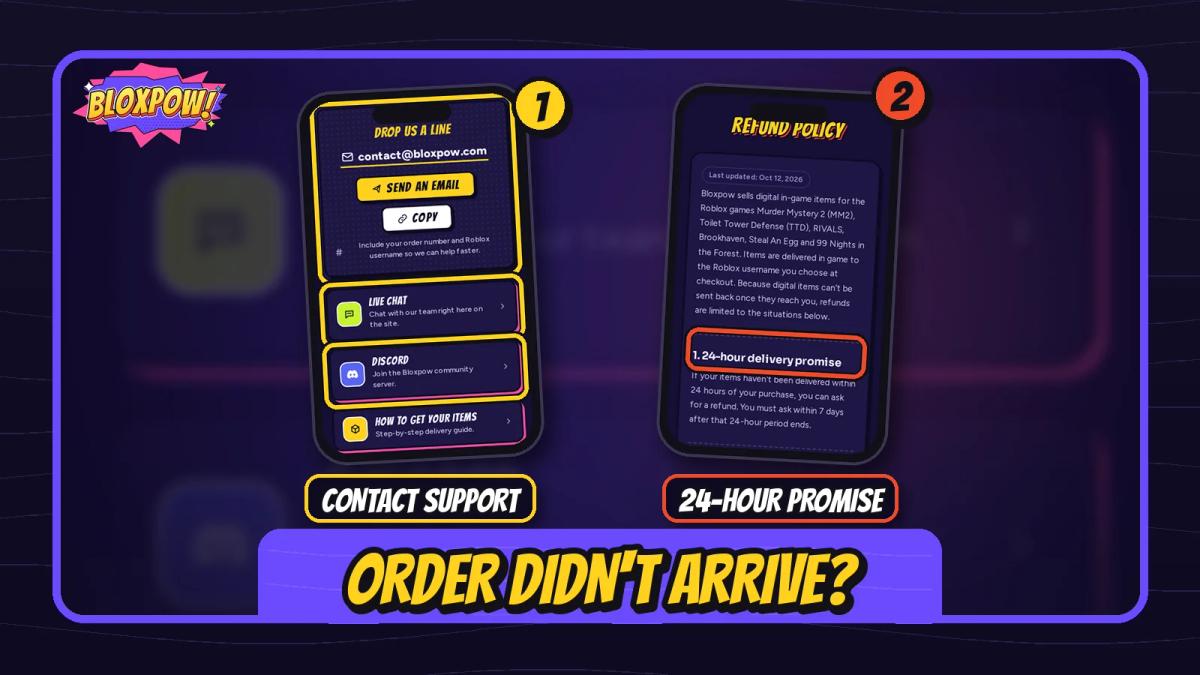
Look up your order on the Claim page with your order number (from your receipt email, like #1001) and the Roblox username you picked at checkout. It shows whether your delivery is still being prepared, ready to collect or delivered.
Can't find the order number? Search your inbox for the email you checked out with, and check spam too. If you just paid, give it a minute and try again.
Contacting Support
You can use the live chat on the site, email contact@bloxpow.com, or join our Discord. All three are on the contact page. Include your order number and Roblox username so we can help faster.
Picked the wrong username? Don't place a second order. Contact us with your order number and the correct username, and we'll update it. Items that already went to the wrong account may not be recoverable, so check the @username before you pay.
Refund Policy Basics
If your items aren't delivered within 24 hours of purchase, you can ask for a refund.
Delivered or claimed items can't be refunded or exchanged, and neither can orders sent to a wrong username. Approved refunds go back to your original payment method, usually in 3 to 5 business days, The full rules are in our refund policy.
Skip the trade, get it now


King Drillman

Komodo Speakerman Titan

Titan Astro Duchess
FAQ
How long does Bloxpow delivery take?
Bloxpow lists delivery as instant. Once your payment is confirmed, join our private server and claim your order. Many orders arrive within minutes, but Roblox outages or trade limits can slow things down.
Does Bloxpow need my Roblox password?
No. Bloxpow never asks for your Roblox password. You only pick your Roblox account so we know where to deliver.
What if I don't get my items from Bloxpow?
Look up your order on the Claim page, then contact us with your order number. If your items aren't delivered within 24 hours, you can ask for a refund under our refund policy.
Can I buy items from two games in one Bloxpow order?
No. One order holds items from one game only, so place a separate order for each game.
Final thoughts
Ordering from Bloxpow comes down to three moves: pick your items, choose your exact Roblox account, then join our private server and claim. Check the @username before you pay, and only accept a trade that shows exactly your items. When you're ready, browse the Toilet Tower Defense shop for fast in-game delivery.
Shop on Bloxpow
Summarize with AI
Prompt copied. Paste it into Gemini.Share this guide
Was this helpful?
Thanks for the feedback!
NoobToPro writes Bloxpow's beginner guides and tier lists for players just starting a new Roblox game. The goal is simple: clear steps, honest rankings, and no wasted Robux.
 CodeSniper